All About cURL?
What is cURL ?
cURL is basically a command line tool, it is use for transferring data from server. cURL means client URL. cURL is available in all platforms. supports different protocols like HTTP, HTTPS etc.
What is server ?
Server is a software or hardware which processes client requests and gives them response. This follows client-server architecture.
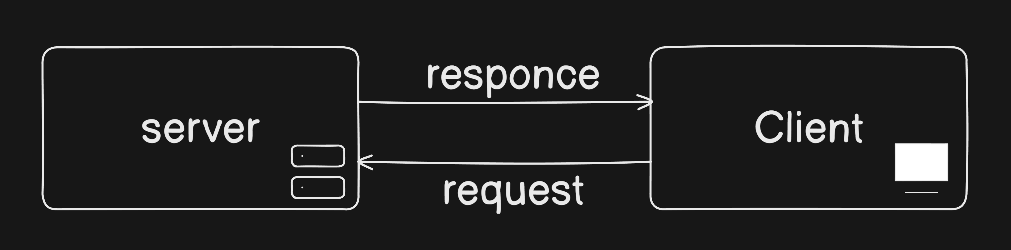
why we use cURL ?
cURL is super portable with every device.
Programmer used cURL for testing end points of a api.
providing details of exactly what has been sent/received, which is helpful for debugging.
Efficient Data Transfer, it is extremely light weight.
With support for SSL and TLS, cURL facilitates secure data transfer.
Basic Syntax of cURL:
common options cURL have:
| Options | usage |
| -d | sending data with the request. |
| -h | sending HTTP header with the request. |
| -i | Includes the HTTP header in the output. |
| -X | Specifies the HTTP request method (POST,GET, Etc) |
| -T | upload file with the request |
| -O | download a file |
to have more information about cURL options
Sending API request by cURL:
An endpoint, which is the address (URL) to which we are sending the request.
An HTTP method. The most common methods used are GET, POST, PUT and DELETE.
Headers, which contain metadata about the request.
Body, which is the message body and contains the data that we want to send.
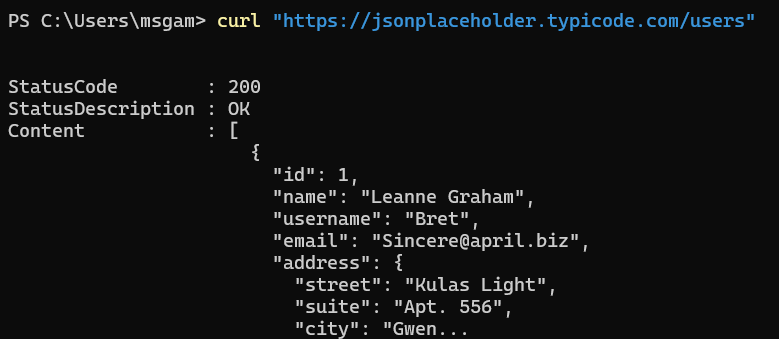
Fetching Web page by cURL:
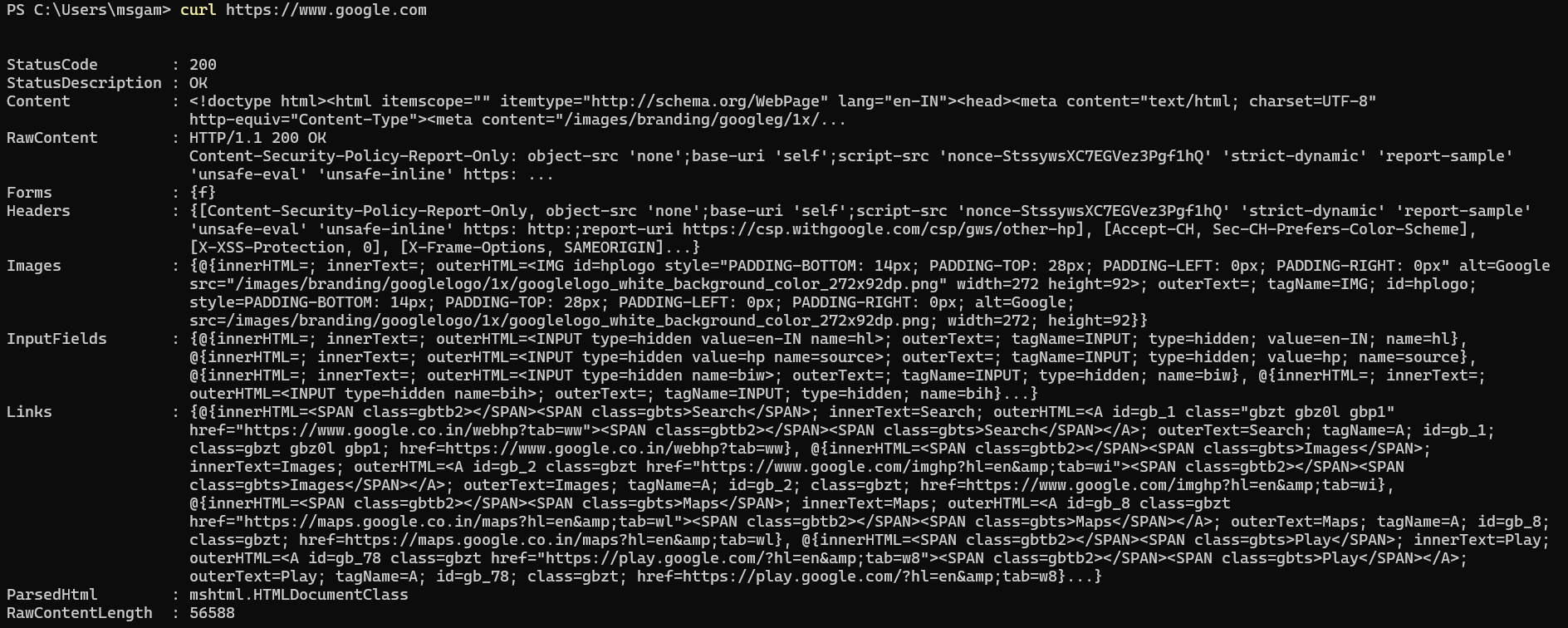
it gives the html of that website.
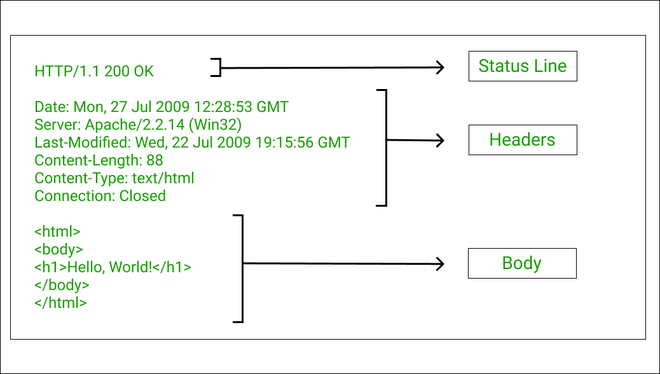
what is response means?
when we give a request to server by cURL it gives some replies. This reply is called response.
A response typically have 3 Main parts:
statuscode: A status code is a number sent by the server to tell what happened with request. Its like exam result.
Data(text/JSON/HTML)
Headers(Extra INFO)
what is HTTP methods?
HTTP methods is use for define what action the client want to performs. This is the core part of client-server architecture.
some basic HTTP methods:
GET: Fetch data from the server
POST: Send data to the server
PUT: Update or replace existing data
cURL vs Browser
Automated Testing
cURL is perfect for programmatically testing APIs and web services. It allows developers to send requests and validate responses without manual interaction.
Data Transfer Tasks
Whether downloading files or uploading data, cURL works seamlessly inside scripts and automated workflows, making it highly efficient.
Headless Environments
On servers or systems without a graphical interface, cURL becomes an essential tool for performing web requests directly from the command line.
Development & Debugging
With its verbose options, cURL helps developers inspect HTTP requests and responses in detail—something browsers don’t easily expose.